
November only · A service, not a design
Custom Black Friday Shopify Landing Page
Give your Black Friday sale its own page, built for the Shopify store you already have: your branding, your offer and your products, with a clear path for shoppers to buy.
One pageOne promotionOne collection or up to 6 productsPhone and desktop
- On sale until 30 November 2026, 11:59 PM Pacific.
- One corrections pass included: up to 5 minor changes, sent together within 7 days of delivery.
- Final sale. We refund it if we can't deliver it for your store, or if you were charged twice. Refund policy
Example
One page, built for NORTHLINE STUDIO
NORTHLINE STUDIO is a fictional clothing brand on Maisonblock's private test store. This is the page the service delivers, built from a real brief: a 30% off code, a Black Friday collection of six products, and the store's own Horizon theme.


What $49 gets you
Built to make your sale easier to shop
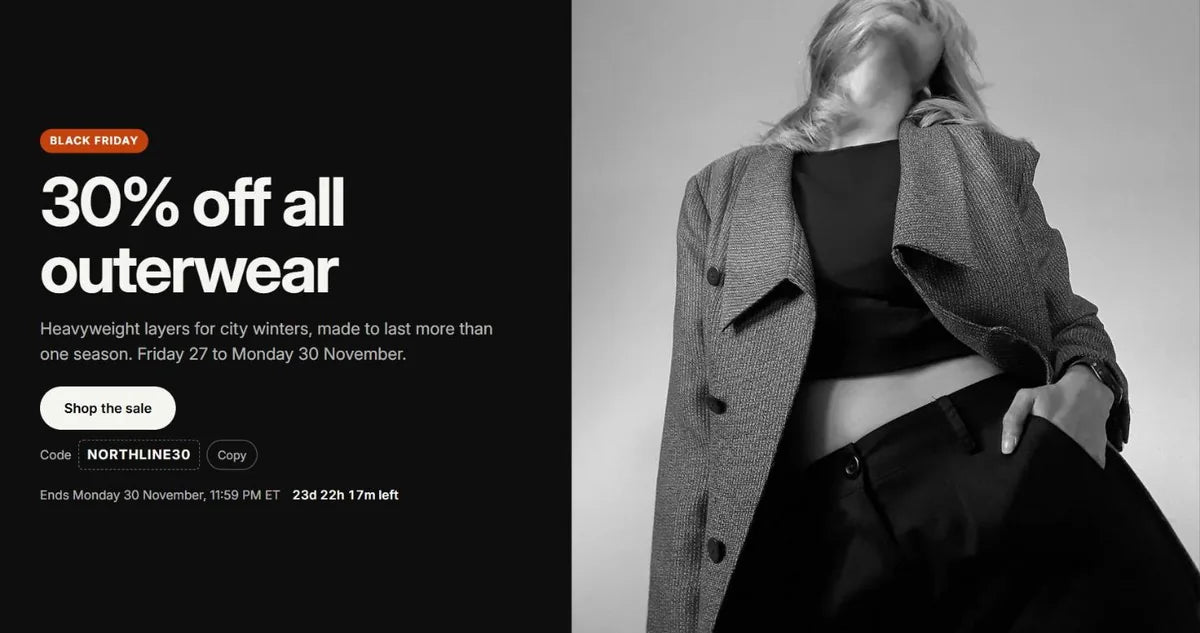
Looks like your store
Your logo, colours, fonts and product photos, inside your own theme, so the page reads as part of your store.
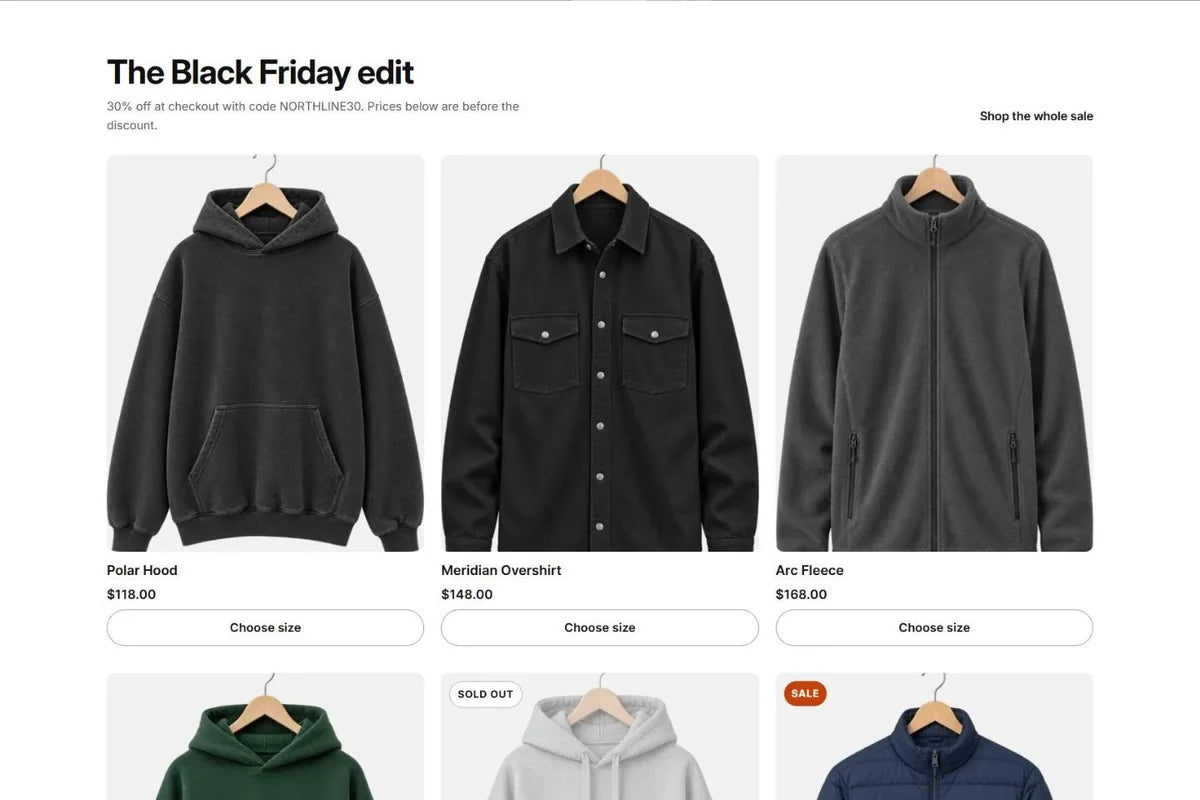
A direct path to the sale
The offer and the shopping button come first. Every product card links to your real product page, with its current price and stock.
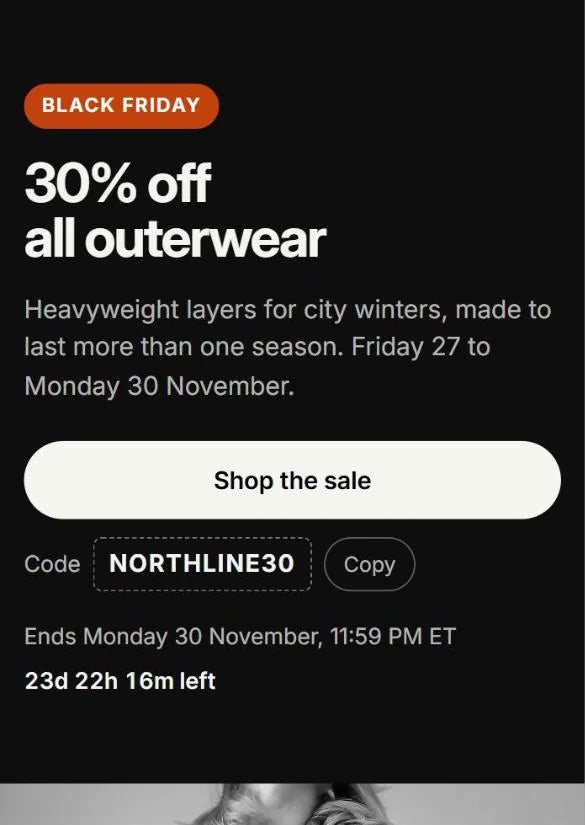
Built for phone traffic
The offer is readable at a glance, product cards are easy to tap, and the next step is always one obvious button.
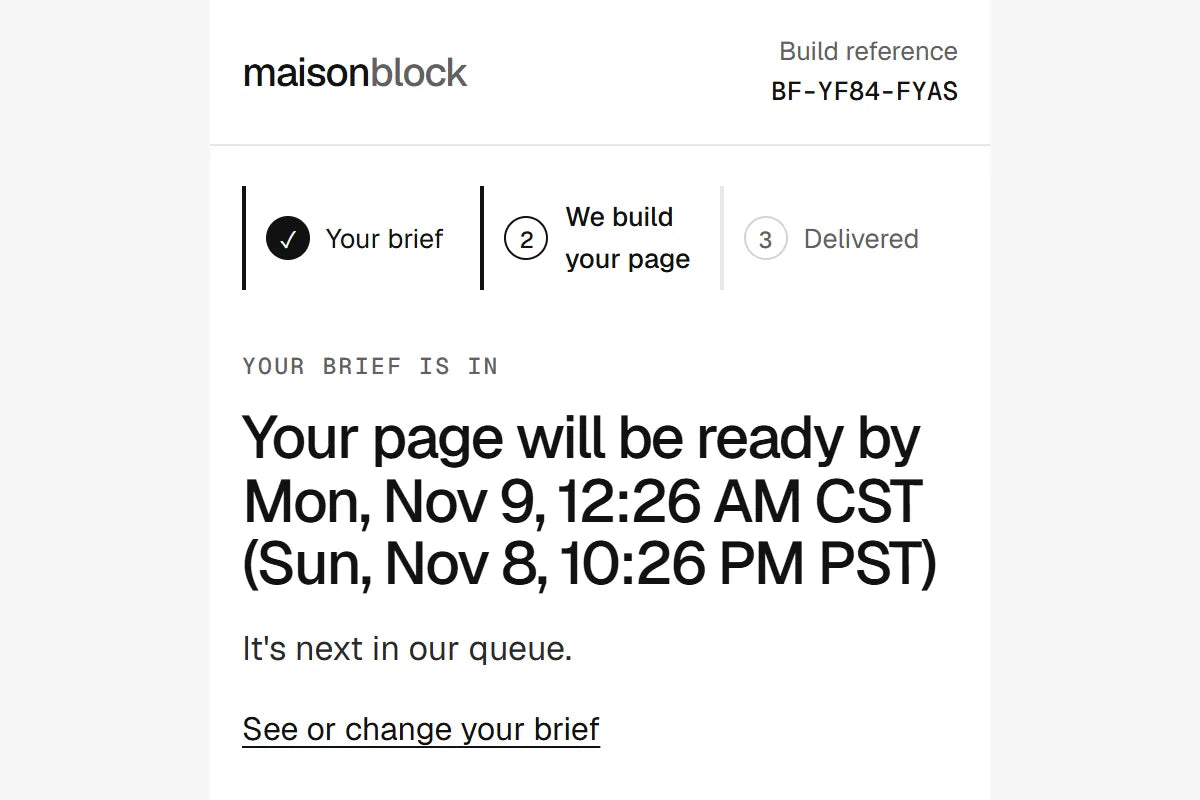
Installed in 1–24 hours
A short brief and a build we repeat for every store. Once your brief, files and access are in, your job page shows the time your page will be ready. Prefer the files for your own team? They're ready in 1–48 hours.
Yours to edit
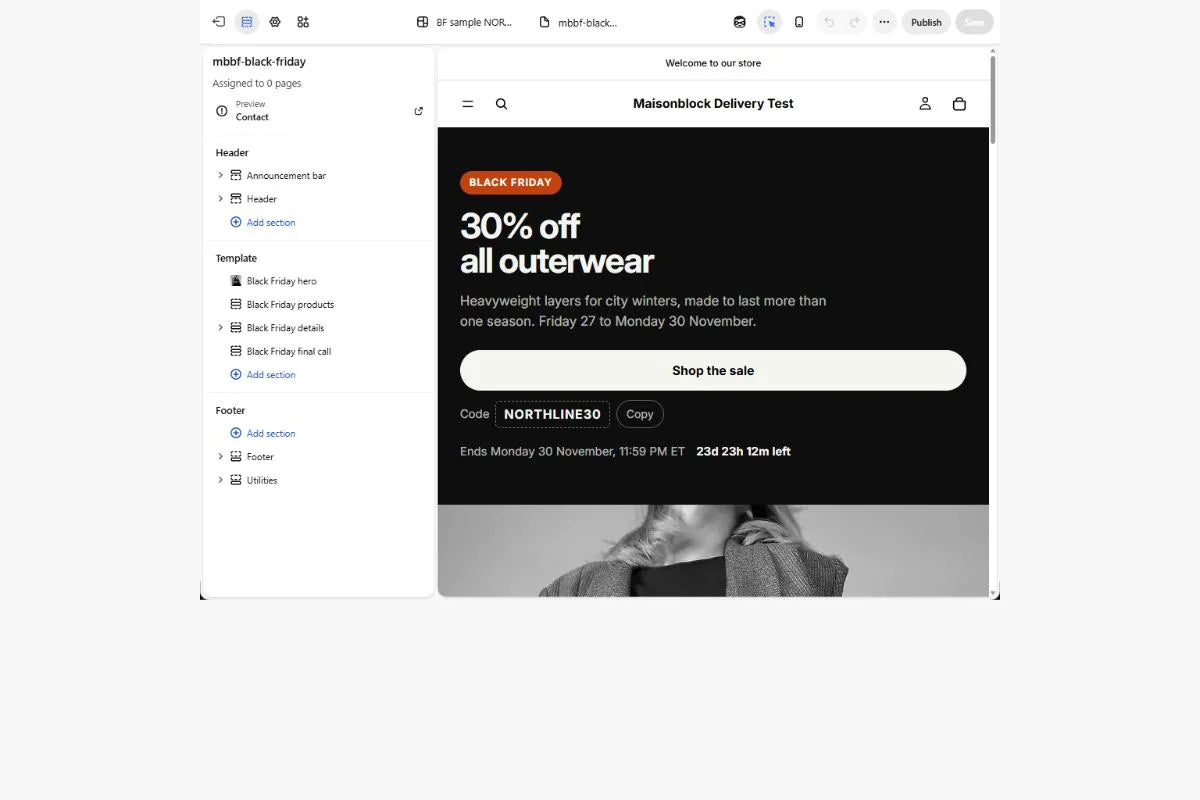
The headline, images, featured products and buttons are settings in your theme editor. Your handoff includes a short guide that shows where each one is.
How it works
Buy, send your brief, get your page
- Buy. Tell us your store's address and how you'd like it delivered, then check out.
- Send your brief. A link in your order email opens a short brief: your offer and dates, the products to feature, and anything your store doesn't already have. About five minutes.
- Get your finished page. A tested preview on your store, a short edit guide, the steps to launch it, and how to take it down after the sale.
The details
Exactly what you get
What's included
- One branded landing page for one promotion, on your existing Shopify store
- A first screen with your offer, a supporting line, your strongest image and one clear button
- One collection or up to six featured products, with live prices, availability and links
- Buying details: your offer's terms, and links to your shipping and returns policies
- A final shopping button after the products, sized for phones
- Phone and desktop layouts, checked on both before you see it
- Sections you can edit in your theme editor, with a short edit guide
- A tested preview, launch steps, and takedown steps for after the sale
- One corrections pass: up to 5 minor changes, sent together within 7 days of delivery
What you supply
- Your store's address, at checkout
- Your approved offer and its terms, the start and end times and your time zone
- Your discount code, or how your automatic discount works
- One collection link, or up to six product links
- Brand files only if your store doesn't show them, and one note about the look (optional)
- Your launch deadline, if you have one
- For installation: accepting our collaborator request in your Shopify admin
Supported setups
- Shopify stores on an Online Store 2.0 theme
- Tested on Shopify's Horizon and Dawn themes
- Other 2.0 themes: we check yours before we start
- Not supported: vintage (pre-2.0) themes, headless or custom storefronts, other platforms
How delivery works
- Installed for you: on an unpublished copy of your theme, through a collaborator request you accept. Your live store doesn't change until you publish.
- Files: tested files and install steps for your team. Choose this before checkout.
This is the landing page and its setup. A full storefront rebuild, checkout changes, managing your promotion or discounts, and ongoing support are separate projects.
Questions
Good to know
Does it work with the store I already have?
Yes, that's what it's for. We build the page into your current theme, with your products and your discount. It needs a Shopify store on an Online Store 2.0 theme, which includes Shopify's free themes such as Horizon and Dawn. If your theme is older, we tell you before we start, and if we can't deliver for your store, you get a full refund.
What access do you need?
For installation, a collaborator request from Maisonblock's Shopify Partner account, which you accept in your Shopify admin. It covers themes, pages and files. We never ask for your password, and you can remove the access when we're done. Prefer not to give access? Choose "Easy install" before checkout.
When does the delivery time start?
When we have your completed brief, any files your store doesn't already show, and, for installation, accepted access. From then, an installed page is ready within 24 hours and the files within 48 hours, and your job page shows the exact time. If your sale starts or ends within 48 hours, email us before you buy so we can confirm the timing.
Can I edit it myself afterwards?
Yes. The page is made of sections in your theme editor. The headline, images, featured products and buttons are all settings, and your handoff includes a short guide that shows where each one is.
Will it change my live store?
Not until you decide. We build on an unpublished copy of your theme and send you a preview. You publish it when you're ready, with the launch steps we give you.
Do you set up my discount?
No. You create the discount in Shopify as usual, as a code or an automatic discount. The page shows it, and a button can apply your code for shoppers through Shopify's own discount link. We don't change your prices, your checkout or your discounts.
What if something needs changing?
Your page includes one corrections pass: up to 5 minor changes within what we built, such as wording, images, which products, colours or button links. Send them together within 7 days of delivery and we make them within 48 hours. A new section or a different design is a new request.
What happens after Black Friday?
Your handoff includes the steps: hide the page in Online Store › Pages, or send its address to a collection, and take its links out of your menu. The page stays in your theme for next year.
How do I get help?
Email support@maisonblock.com. Your job page also shows where your page stands at every step.
Installed in 1–24 hours
Your Black Friday page, $49 one time
One page for one promotion on your existing Shopify store. November 2026 only.
Get My Black Friday Page